Type a bot.
Watch it get built.
Six AIs plan it, write it, test it and fix it on your own PC. You come back to something that runs.
- Got it
- Baking
- Ready
/remind exam friday 9am
FREE NITRO click here
Watch another:
It plans.Planner
Your idea becomes phases, each with a clear "done when". It asks only what it can't guess.
It builds.Builder
One small step at a time, each one saved to your own GitHub.
It breaks it.Tester
On purpose. Spam clicks, empty forms, scam links. Before you ever see it.
It fixes it.Checker
Every step gets read over before it counts as done.
You ship it.
Pause, skip or step through any time. It's your project and your code.
Try it on your idea.
Type what you want to make, or pick one. This is the plan QuickType starts from, before the crew writes a line.
One real build, start to finish
A test website for a bakery: a menu, online orders, customer accounts and a help bot that answers questions. Built on Saturday, November 7. These are the team's own notes, cut short.
- Phases
- 6
- Steps
- 78
- Started
- 3:05 pm
- Last step
- 5:25 pm
Project created.
Phase 1 planned.
Step 1-1. Built the storefront shell: a menu bar and six sections, with a test server and a test.
Step 2-6. Customer accounts saved in a database. Signing up always makes a customer; only the owner's own server code can make an owner.
Step 3-7. Orders now have a status: pending, preparing, ready, completed.
Step 4-10. The newsletter form checks the email and has a message for success, already signed up, a bad address, a server problem and being offline.
Step 6-11. Asked the help bot 22 questions a customer might phone about. It got 4 wrong; those were fixed.
Step 6-12. Final check before launch: payments, privacy, accessibility and phone sizes. All pass.
 QuickType— ▢ ✕
 Sunny Cups— ▢ ✕
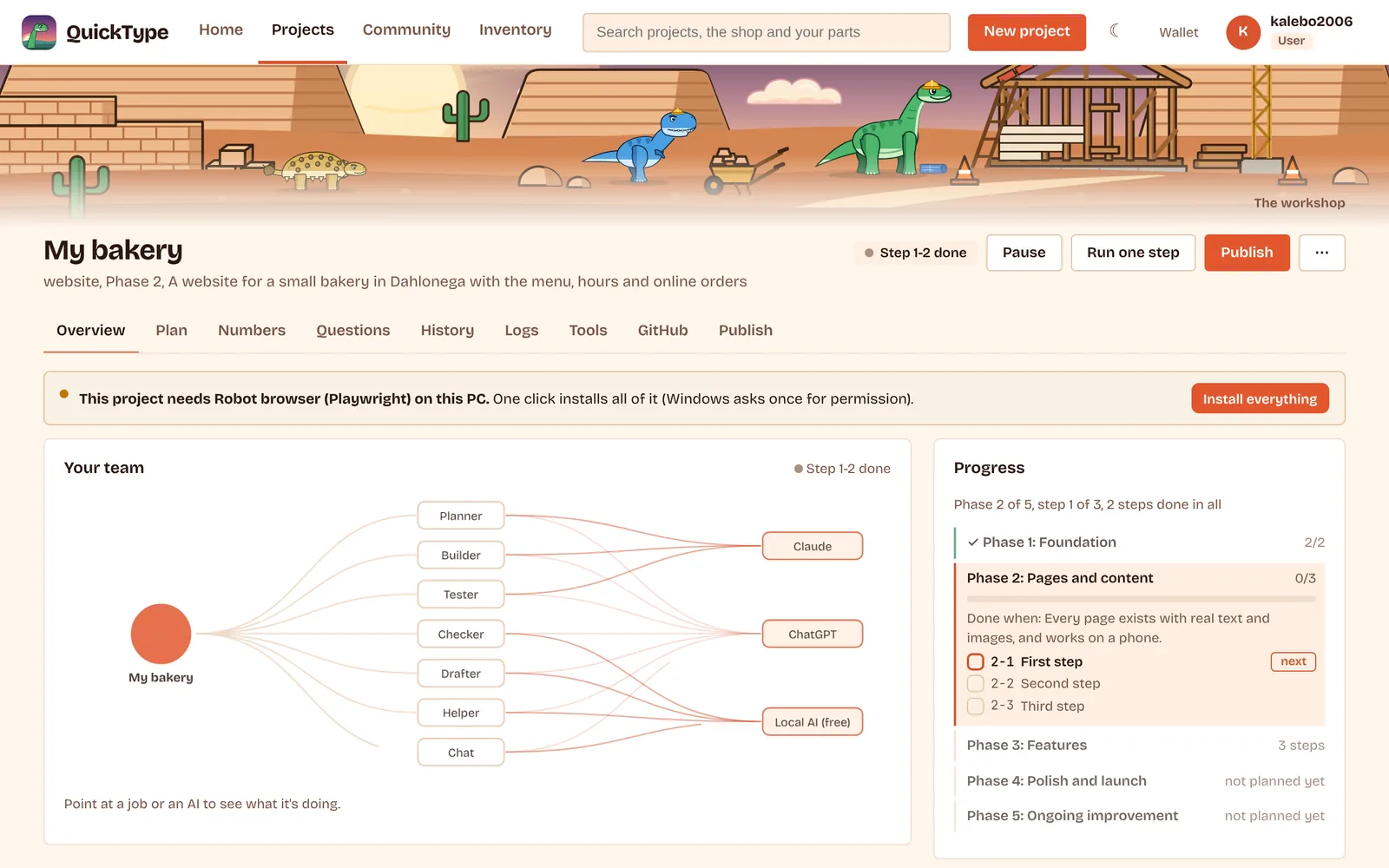
It's your project. You're the boss.
- Questions
- Wait under the bell until you get to them. Nothing pops up unless a build has stopped.
- Control
- Pause, skip a step, or run one step at a time and watch.
- Saves
- Every finished step goes to a private repository in your own GitHub.
- Sleep
- It keeps building in the background and picks up again after your PC wakes.
18 kinds of project
Each kind has its own plan, its own checks and the tools it needs. QuickType installs those for you, after asking. Pick one to see its plan.
- WebsiteA website: a business site, portfolio, store front or web app.
- Web appA full web app: sign-in, a database, and pages that change per user (like a small SaaS).
- Roblox gameA Roblox experience built with Roblox Studio (code in files, synced with Rojo or Studio MCP).
- Discord botA bot for your Discord server: commands, games, moderation, reminders.
- AI assistantYour own AI helper or chatbot that runs on a free local model.
- Phone appAn app for Android and iPhone from one codebase (building for iPhone needs a Mac).
- Godot gameA 2D or 3D game made with the free Godot engine, for PC, Mac, phones or the web.
- Unity gameA 2D or 3D game made with Unity (free Personal plan), for PC, Mac, phones or consoles.
- Browser gameA 2D game that runs in any web browser (Phaser or plain JavaScript).
- Python toolA desktop app, command-line tool, scraper or automation script in Python.
- Data and spreadsheetsClean, combine and chart data from Excel / CSV files, with reports that update themselves.
- Desktop appA Windows and Mac app made with web tech (like Discord or VS Code).
- Browser extensionA Chrome / Edge extension: a toolbar button, page tweaks, or a side panel.
- Backend / APIA server other apps talk to: data, accounts, webhooks, integrations.
- Minecraft modA mod for Minecraft Java Edition: new items, blocks, mobs or commands.
- Arduino / ESP32Code for a microcontroller board: sensors, lights, motors, WiFi gadgets.
- Train an AI modelMake your own AI model: train a brand-new one from scratch, or teach an open model with your own data. Runs on your PC.
- Operating systemYour own small operating system from scratch (boots in a safe virtual PC, never on your real one).

Your AIs, your keys, your PC
QuickType doesn't sell AI time. It uses the AI accounts you already have, gives each job to the one that's best at it, and switches to a free AI on your own computer when they hit their limits.
The code, the plan, your chats with the AIs and your keys live on your computer. QuickType's server never sees them.
Each finished step goes to a private repository in your GitHub account, so nothing gets lost.
Unless you turn them on, and you see exactly what would be sent first. Privacy policy

The Community
Parts people made, ready to drop into a project in one click. It's brand new: 3 things listed so far, all free. Made something good? List it, free or for a price you pick.
Free, or Pro for $5
Everything you need to build is free, for good. Pro gives your crew a library of parts that already work, so builds finish sooner and come out more finished.
Free
$0
- All 18 kinds of project and the whole crew
- The design library: 24 palettes, 18 UI styles, 10 page layouts
- The Community: shop, market and discussions
- Pro for 4 hours at a time by watching a 1-minute ad
Pro
$5 a month First 7 days free
- Ready parts for sites and apps: sign-in, payments with Stripe, bookings, contact forms, email, comments, teams, uploads and more
- Roblox systems: safe saves, shops, leaderstats, daily rewards, admin panel, day and night and more
- Your crew starts from them instead of writing them from scratch
- Cancel any time from the app
Prices in US dollars. Pricing and refunds
Questions
Didn't find your answer? Email support@voltyn.org, or ask in Discussions once you're in.
What does it cost?
QuickType is free. The AIs are your own accounts (Claude, ChatGPT, Copilot) or free ones: a Gemini key from Google AI Studio, or a local AI that runs on your PC. QuickType shows how much of each account a project has used.
Pro is $5 a month, with the first 7 days free. Parts in the shop are priced by the people who make them. See pricing and refunds.
Do I need to know how to code?
No. You describe what you want and answer questions in plain words. If you do code, you can open the project folder any time; it's normal code in a normal folder.
Which AI do I need?
Any one of them is enough to start. With more than one, QuickType gives each job to the AI that's best at it and moves work along when one hits its limit. With none, it can use a free local AI, if your PC has a graphics card with 6 GB or more.
Is the code mine?
Yes. It's built on your PC, saved to your own GitHub, and you can do what you like with it. See the terms.
Windows says "Windows protected your PC". Is that normal?
Yes, for new apps. Click More info, then Run anyway. QuickType installs for your Windows account only and doesn't need admin rights. The download page shows each step. Or get it from the Microsoft Store, which skips that warning.
What do I need on my computer?
Windows 10 or 11, macOS 12 or newer, or Linux with a desktop (64-bit), and an internet connection for the online AIs. QuickType installs the tools each kind of project needs, and asks first.
Is there a Mac version?
Yes, on the download page. It's new and hasn't been fully tested yet, so if something breaks, email support@voltyn.org.
Something went wrong. What do I send?
Every problem QuickType shows ends with a code, like QT-MARKET-402 or QT-WIN-7F3A. Send the code; it says exactly what happened and where. The help page covers the common ones.