
Describe it. A team of AIs builds it.
Type what you want, like a bakery website, a Roblox shop or a bot for your Discord server. QuickType plans it in phases, and a team of AIs builds it on your PC: one writes the code, one tests it, one checks it. You just answer their questions.
 QuickType— ▢ ✕
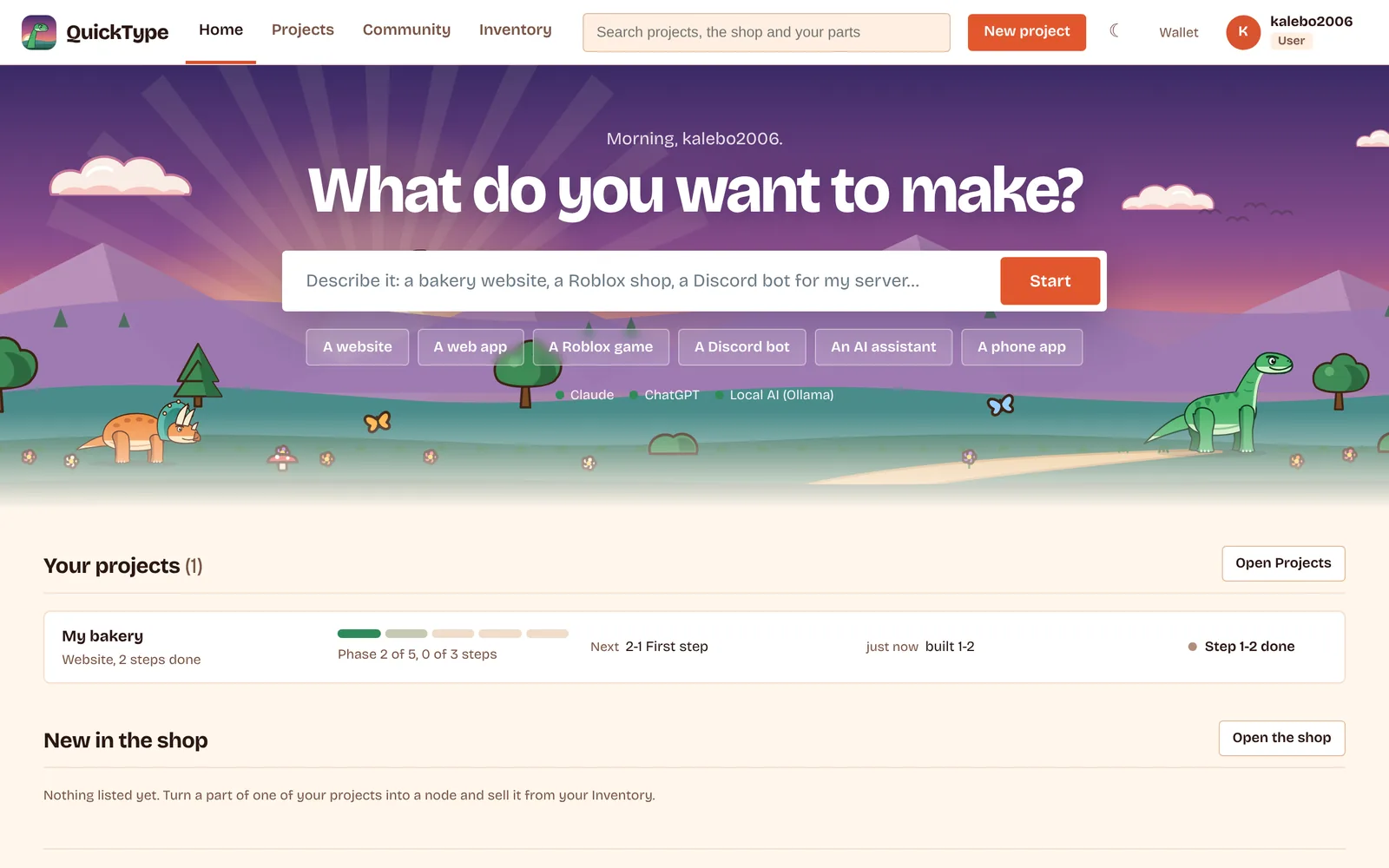
How a build goes
You don't manage the AIs. QuickType hands out the work, keeps building in the background, picks up again after your PC sleeps, and only stops when something is really your call.
- 1You describe it
In a sentence or a page. QuickType asks a few questions it can't guess, like who it's for and what it should never do.
- 2It's planned in phases
Foundation, pages, features, polish. Each phase has a "done when" line and small steps, so you can see exactly where it stands.
- 3The team builds
A builder writes each step, a tester runs it, a checker reads it over. If one AI hits its usage limit, the next one carries on.
- 4You stay in charge
Questions show up on your home screen. Pause, skip or run one step at a time. Every step is saved to your own GitHub.
My bakery— ▢ ✕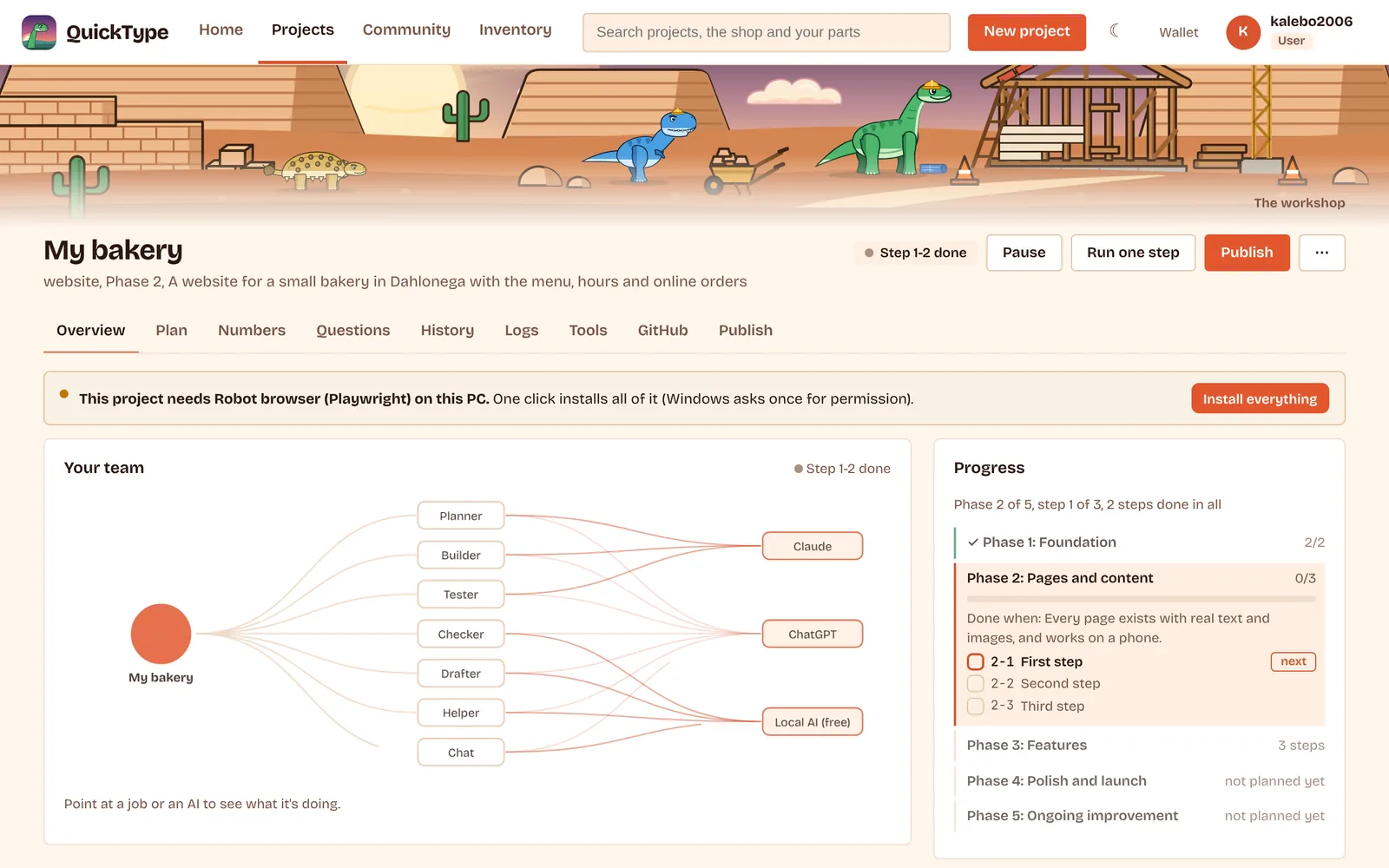
- PlannerTurns your idea into phases and steps
- BuilderWrites the code for one step at a time
- TesterRuns it and tries to break it
- CheckerReads each step over before it counts as done
- DrafterGets the next step ready ahead of time
- HelperSmall jobs, on the free local AI
- ChatAnswers you about the project, any time

18 kinds of projects
Each kind comes with its own plan, its own checks and the tools it needs, which QuickType installs for you. Here are eight of them.
| Kind | What you get | Good to know |
|---|---|---|
| Website | A business site, portfolio or store front, with real text and pictures, that works on phones. | Publish it free on GitHub Pages with one button. |
| Web app | Sign-in, a database, and pages that change for each person, like a small SaaS. | Comes with ready-made parts: accounts, payments, email. |
| Roblox game | Scripts, UI, shops and saves for a Roblox experience. | Code lives in files and syncs into Roblox Studio. |
| Discord bot | Commands, games, moderation and reminders for your server. | Runs on your PC, or on a free host. |
| AI assistant | Your own chatbot or helper. | Can run on a free local model, no account needed. |
| Phone app | One app for Android and iPhone (Flutter). | Building for iPhone needs a Mac. |
| 3D game | A game in Godot or Unity, for PC, Mac, phones or the web. | Both engines are free. |
| Python tool | A desktop app, command-line tool, scraper or automation script. | Also: spreadsheets and data reports. |
Also: desktop apps, browser extensions, browser games, backend APIs, Minecraft mods, Arduino and ESP32 gadgets, training your own AI model, and your own small operating system (in a safe virtual PC).

Your AIs, your keys, your PC
QuickType doesn't sell AI time. It uses the AI accounts you already have, shares the work between them, and switches to a free AI on your own computer when they hit their limits.
The code, the plan, your chats with the AIs and your keys live on your computer. QuickType's server never sees them.
Each finished step is saved to a private repository in your GitHub account, so nothing gets lost.
Unless you turn them on. You can see exactly what would be sent first. Privacy policy
The Community
Ready-made parts you can drop into a project with one click. Made something good? Turn it into a part and list it, free or for sale.
A clean, accessible skeleton for any website: home, about and contact. Template.
8 colour sets that work together, as CSS you drop into any site. Design pack.
32 matching line icons as SVG files and one sprite. Design pack.
Templates, design packs and code parts, with pictures, star reviews and questions to the seller.
Paid parts come as numbered copies. The maker holds the gold card and decides how many to sell.
Ask for help, show what you built, or talk about a part before you get it.

Questions
Didn't find your answer? Ask in Discussions once you're in.
What does it cost?
QuickType is free. The AIs are your own accounts (Claude, ChatGPT, Copilot) or free ones: a Gemini key from Google AI Studio, or a local AI that runs on your PC. QuickType shows how much of each account a project has used.
Pro is $5 a month, with the first 7 days free: it gives your AI the Pro library of ready-made parts. Cancel any time. Parts in the shop are priced by the people who make them. See pricing and refunds.
Do I need to know how to code?
No. You describe what you want and answer questions in plain words. If you do code, you can open the project folder any time; it's normal code in a normal folder.
Is the code mine?
Yes. It's built on your PC, saved to your own GitHub, and you can do what you like with it. See the terms.
Windows says "Windows protected your PC". Is that normal?
Yes, for new apps without a paid signing certificate. Click More info, then Run anyway. QuickType installs for your Windows account only and doesn't need admin rights.
What do I need on my PC?
Windows 10 or 11, 64-bit, and an internet connection for the online AIs. The free local AI needs a graphics card with 6 GB or more to run well; without one, use the online AIs. QuickType installs the tools each kind of project needs, and asks first.
Is there a Mac version?
Not yet. Windows comes first.
Something went wrong. What do I send?
Every problem QuickType shows ends with a code, like QT-MARKET-402 or QT-WIN-7F3A. Send the code; it says exactly what happened and where.